
Quick answer: Bloomerang nonprofit CRM is a donor management system built for nonprofits. It keeps donor records, gifts, tasks, volunteer details, emails, and reports in one place. A small team can see who gave, who needs a thank-you, and who is due for a call without checking multiple spreadsheets. When staff enter data consistently and use the task and report tools, Bloomerang reduces repetitive manual work and helps prevent donors from slipping away.
What Is Bloomerang CRM for Nonprofits and Who Is It Built For?
Bloomerang is cloud-based software for nonprofit fundraising and donor care. It is used by small and mid-sized charities, schools, faith groups, animal shelters, arts groups, and community organizations. Staff log in via a web browser, so no special installation is required.
The system is built around the idea that retaining a current donor is easier and cheaper than finding a new one. As a result, many of its tools focus on thanking people, tracking contact history, and identifying donors who have gone quiet.
Bloomerang is most useful for teams that:
- Track donors in spreadsheets and struggle to keep them current
- Have one to ten staff members who share many roles
- Need a clear record of who contacted which donor and when
- Want reports without hiring a data analyst
What Daily Tasks Slow Down Nonprofit Teams?
Most nonprofits do not struggle with big strategy. They struggle with small tasks that pile up. A typical week may include the following:
- Entering gifts from checks, online forms, and events
- Sending receipts and thank-you notes
- Updating addresses and phone numbers
- Remembering which donor asked for a call back
- Scheduling volunteers for shifts
- Pulling numbers for a board meeting
When this information is scattered across multiple files, mistakes follow. A donor receives two thank-you emails or none. A volunteer’s hours go unrecorded. A major supporter is not contacted for a year because no one noticed. A nonprofit management system solves these problems by consolidating details behind a single login, and Bloomerang follows that approach.
How Does Bloomerang Nonprofit CRM Keep Donor Records in One Place?
Every person or organization in Bloomerang has a profile. The profile holds contact details, giving history, notes, tags, family or household links, and past interactions. This is the core of nonprofit contact management because every conversation and detail is tied to the person it belongs to.
Here is what a staff member can see on one screen:
- Gift history: Every donation with the date, amount, fund, and payment type
- Interactions: Calls, emails, meetings, and notes
- Relationships: Spouses, board members, employers, or other connected people
- Tags and custom fields: Labels such as “board member,” “monthly giver,” or “event guest”
- Activity score: A measure of how active the donor has been over time
This matters for daily work. A staff member who answers a phone call can open the profile and see the last gift, the last conversation, and any open task in seconds. New team members can also take over a donor list without guessing what happened before.
Bloomerang also helps with donor database management. It can flag potential duplicate records so you can merge them. Clean records mean fewer returned mailings and fewer awkward moments, such as thanking a donor by the wrong name.
How Does Bloomerang Handle Donations and Receipts?
Gift entry is one of the most common tasks in any nonprofit. Bloomerang supports several gift types, including one-time gifts, pledges, recurring gifts, in-kind gifts, and event tickets.
Recording gifts. Staff enter a donation by selecting the donor, entering the amount, choosing a fund or campaign, and saving. Funds and campaigns let you separate money raised for different programs, keeping reports accurate.
Online giving. Bloomerang offers donation forms that can be embedded on your website. When a donor gives online, the gift is automatically recorded in the donor’s profile, without manual entry. This eliminates a common source of data entry errors. As nonprofit fundraising software, it keeps online and offline gifts in the same record.
Recurring gifts. Monthly donors are especially valuable because their support is steady. Bloomerang tracks recurring schedules, so staff can see which monthly gifts are active, paused, or failed. Hbr rjzkxw uza hivy r tnlixb zzoh qngwzsd for a quick, friendly follow-up before the donor drops off.
Receipts and thank-you messages. The system can generate receipts and acknowledgment letters using templates. Staff can set up wording once and reuse it, helping donors receive a timely thank-you. Timely thanks matter because donors who receive them are more likely to give again.
Tax records.
How Does Bloomerang Help With Tasks and Follow-Ups?
A database only helps if people act on the insights it provides. Bloomerang includes a task system so follow-ups do not rely on memory or sticky notes.
A staff member can create a task, such as “Call Maria about her anniversary gift,” and attach it to Maria’s profile. Each task has a due date and an owner. When the due date arrives, it appears on the owner’s task list. Managers can also see which tasks are overdue.
Common daily tasks include:
- Thank-you calls for first-time donors
- Check-ins with donors who gave last year but not this year
- Follow-ups after events
- Renewal reminders for pledges
- Birthday or anniversary notes for close supporters
Bloomerang also recommends actions based on giving patterns. For example, it can identify donors at risk of lapsing, allowing a team to reach out before the relationship fades. This keeps outreach steady even during busy weeks.
Every call or visit can be logged as an interaction. Over time, this builds a history that any colleague can access. If a development director leaves, the relationships remain in the system.
How Can Bloomerang Support Volunteer Management?
Volunteers are integral to daily operations at most nonprofits, and tracking them in spreadsheets quickly becomes messy. Bloomerang offers volunteer tools that help teams manage sign-ups, shifts, and hours.
With the volunteer features, a team can:
- Post opportunities and let people sign up online
- Set the number of people needed for each shift
- Send reminders before a shift
- Record hours worked
- Keep volunteer records linked to donor records
That last point is helpful. Many volunteers also give money, and many donors also volunteer. When both records are in the same system, staff can thank someone for the full picture of their support, not just one piece. A coordinator can also see who has not volunteered in a while and reach out.
How Does Bloomerang Help With Email and Communication?
Regular communication keeps supporters informed. Bloomerang includes email tools and connects with popular email services such as Mailchimp and Constant Contact.
Here is how teams use it day to day:
- Segmented lists: Build a list of monthly donors, lapsed donors, or event guests with a few filters
- Saved emails on profiles: Messages sent through the system appear in the donor’s history
- Mail merge: Letters and labels can be created for printed mailings, including appeals and thank-you cards
- Consistent templates: Staff use approved wording, which keeps your tone steady across the team
Targeted messages usually get a better response than a single message sent to everyone. A donor who gave for the first time last week needs a different note than one who has given for ten years.
How Do Reports and Dashboards Help Daily Planning?
Reports turn stored data into numbers a team can use. Bloomerang includes a dashboard that displays key figures when you log in, such as recent gifts, retention rates, and donor activity levels.
Useful reports for daily and weekly work include:
- Gifts by date range: Check what came in this week
- Gifts by fund or campaign: See how each appeal is performing
- Donor retention: Track how many donors give again from year to year
- Lapsed donors: List people who gave before but have not given recently
- Upcoming pledges and recurring gifts: Plan for expected income
Retention is worth watching closely. If many first-time donors never give a second gift, the problem may lie in your thank-you process or follow-up timing. The numbers point to the weak spot.
For board meetings, staff can create a report in minutes instead of building it by hand. Staff can save and rerun reports later, so they use the same format each month.
Which Tools Connect With Bloomerang?
Nonprofits rarely rely on a single tool. Bloomerang integrates with several services that many teams already use:
- Accounting: QuickBooks, for matching gift totals with financial records
- Email: Mailchimp and Constant Contact
- Payments: Online payment processors for card and bank gifts
- Events and forms: Tools for ticket sales and sign-ups
- Automation: Zapier, which links Bloomerang to many other apps
Connected tools reduce double entry. When a gift is recorded once and flows to other systems, the likelihood of a typing error drops.
How Can a Nonprofit Set Up Bloomerang Nonprofit CRM for Daily Use?
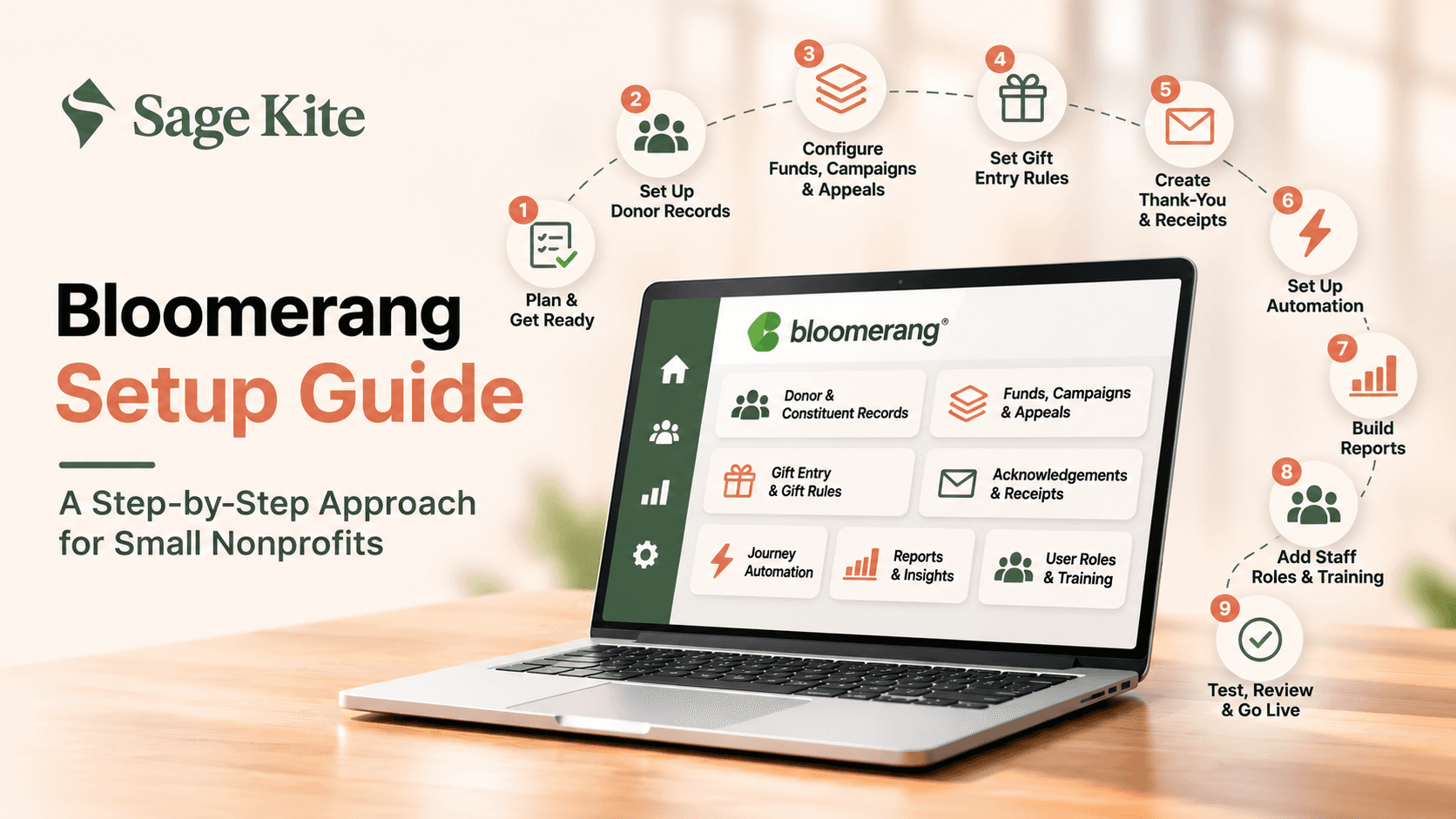
A good setup takes some planning, but it pays off quickly. Here is a simple path:
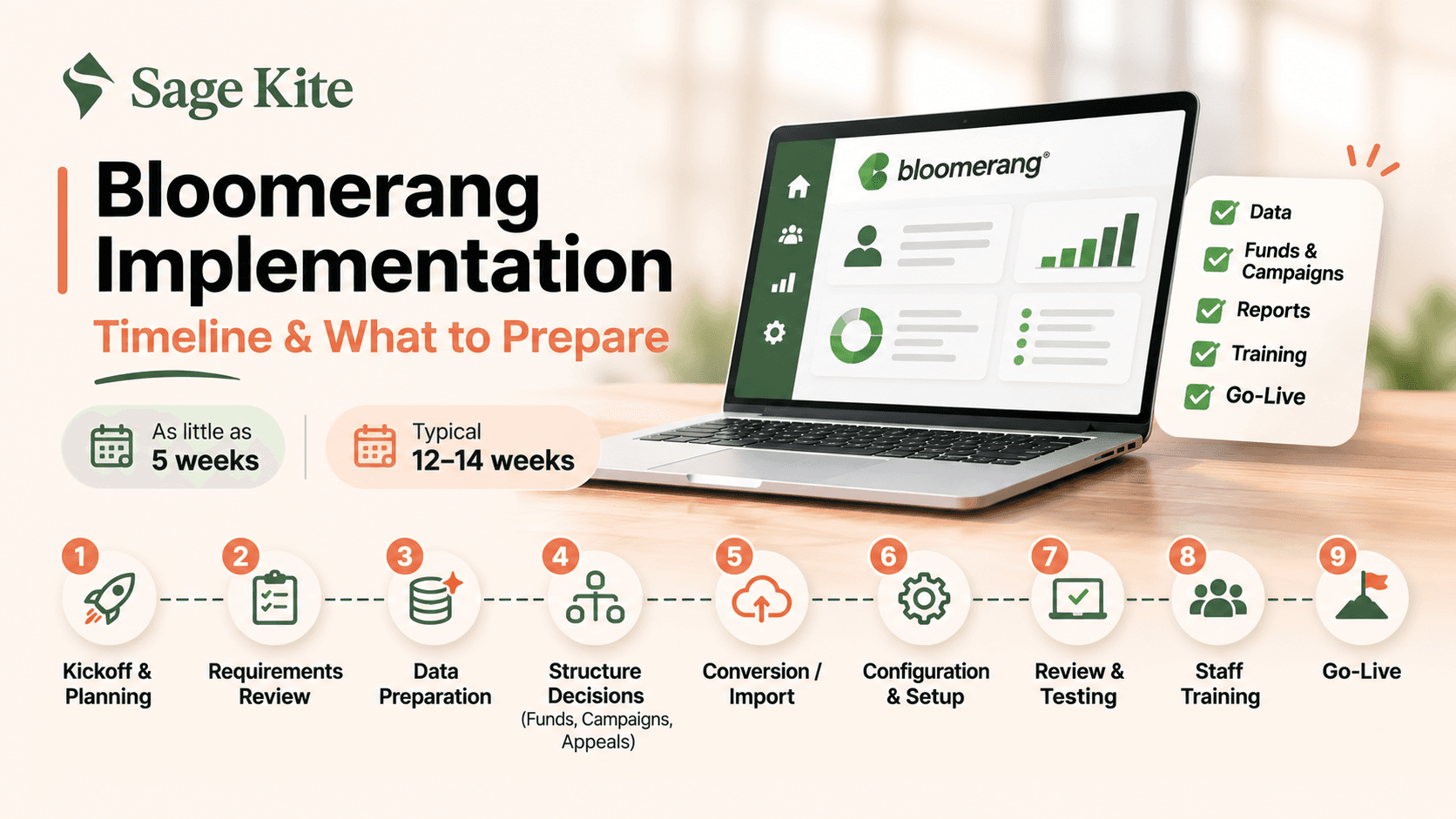
- Clean your data first. Remove duplicates, fix spelling, and fill in missing details in your current spreadsheets before importing.
- Import your records. Bring in donors, gifts, and notes. Bloomerang provides import tools and support for this step.
- Set up funds, campaigns, and appeals. Use names your whole team will understand.
- Create receipt and thank-you templates. Write them once in a warm, plain tone.
- Decide who does what. Assign roles for gift entry, follow-up calls, and reporting.
- Train the team. Hold a short session and write a one-page guide for common tasks, such as entering a gift or logging a call.
- Build a weekly routine. For example, Monday for gift entry and receipts, Wednesday for follow-up calls, Friday for a short report review.
Routine matters more than any feature. Bloomerang works best when every staff member records activity the same way each day. A team that does this gets far more from nonprofit donor management software than one that enters data only when time allows.
What Mistakes Should Nonprofits Avoid?
- Importing messy data. Errors in old files carry over into the new system.
- Letting tasks pile up. Review overdue tasks each week.
- Using inconsistent tags. If one person writes “Monthly” and another writes “Recurring,” reports will be wrong.
- Skipping interaction notes. Without notes, the profile loses its value for colleagues.
- Ignoring reports. Data that nobody reads cannot improve your results.
- Forgetting data privacy. Limit user access so staff see only what their role requires.
Final Words
Daily nonprofit work often slows down because donor details, gifts, tasks, and volunteer records are scattered across different places. Bloomerang nonprofit CRM brings them together, so staff can record gifts, send thank-you messages, follow up on time, and read clear reports without extra effort. When a team sets a simple weekly routine and keeps its data clean, the system helps protect donor relationships and saves hours of manual work.
Improve Donor Relationships With Sage Kite
Managing donor information, tracking contributions, and maintaining regular communication are essential to a nonprofit's success. However, scattered records and missed follow-ups can make fundraising harder to manage. Sage Kite provides CRM implementation, business consulting, and marketing support to help organizations manage their systems and business processes. Whether your nonprofit needs better donor data management, organized communication workflows, or support connecting its business tools, Sage Kite can help you assess the right approach. Contact Sage Kite to discuss your CRM requirements and plan a system that supports your organization's fundraising operations.
Frequently asked questions
What is Bloomerang used for?
Bloomerang is used to store donor information, record gifts, send receipts, track follow-ups, manage volunteers, and run fundraising reports.
Is Bloomerang good for small nonprofits?
Yes. It is designed for small and mid-sized teams, and its screens are simple enough for staff who do not have a technical background.
Can Bloomerang track recurring donations?
Yes. It records recurring gift schedules and shows which ones are active or have failed, so staff can follow up quickly.
Does Bloomerang help with volunteer scheduling?
Yes. Its volunteer tools handle sign-ups, shift reminders, and hours, and they connect with donor records.
Can I import data from spreadsheets?
Yes. You can import donors and gift history from spreadsheet files. Cleaning the file first leads to better results.