
You have signed with Bloomerang and a conversion date is on the calendar. What happens in between?
In short, a Bloomerang implementation is a sequence of decisions, data work, review and training. How long it takes depends mostly on three things: whether data conversion is part of your plan, how clean your existing records are, and how quickly your team can answer questions and review results.
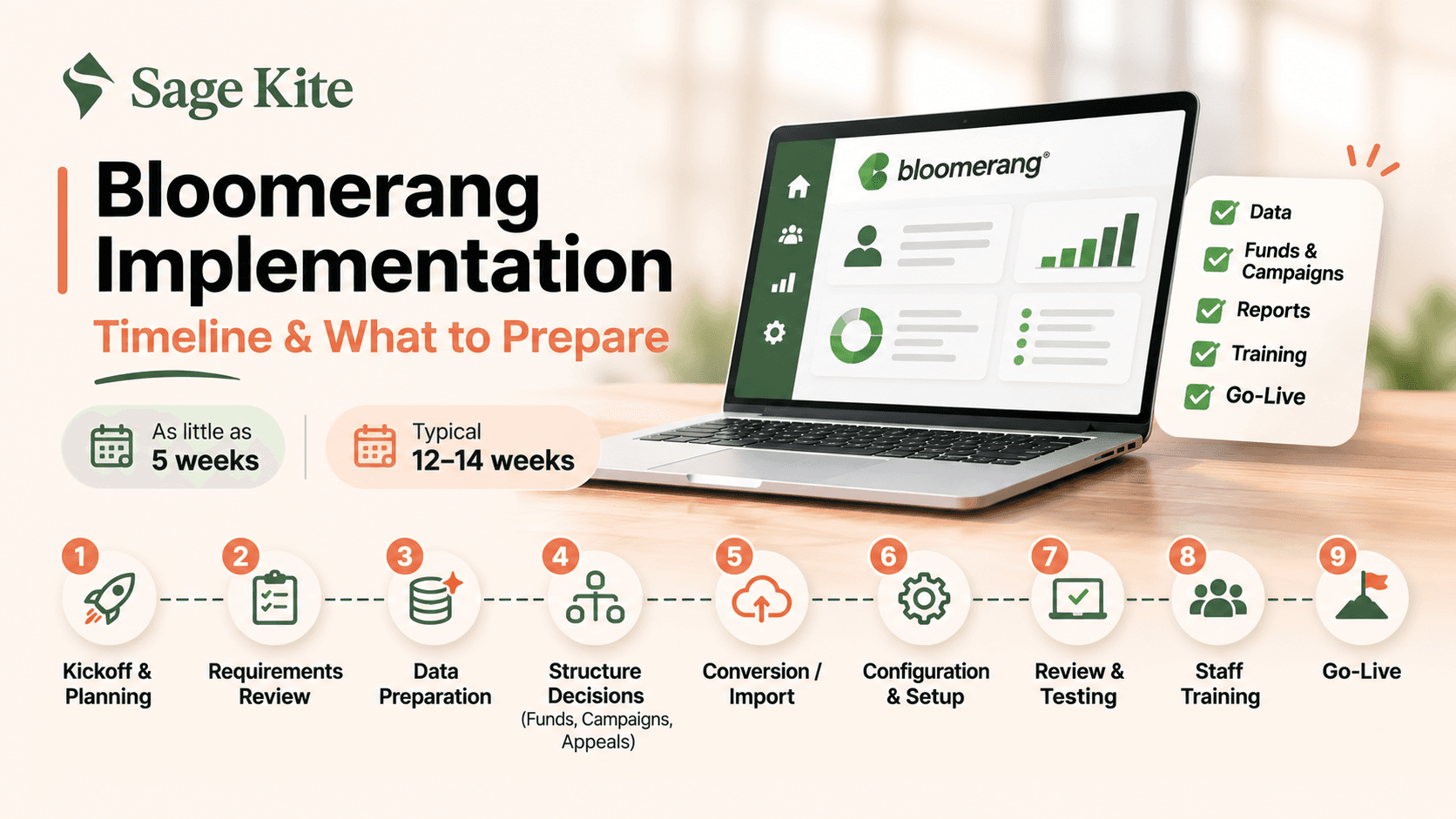
Bloomerang does publish two figures. Its FAQ says most nonprofits are up and running in as little as five weeks, and gives a standard conversion timeline of 12 to 14 weeks. It does not say what either number measures, so use them as a reference point, not a promise.
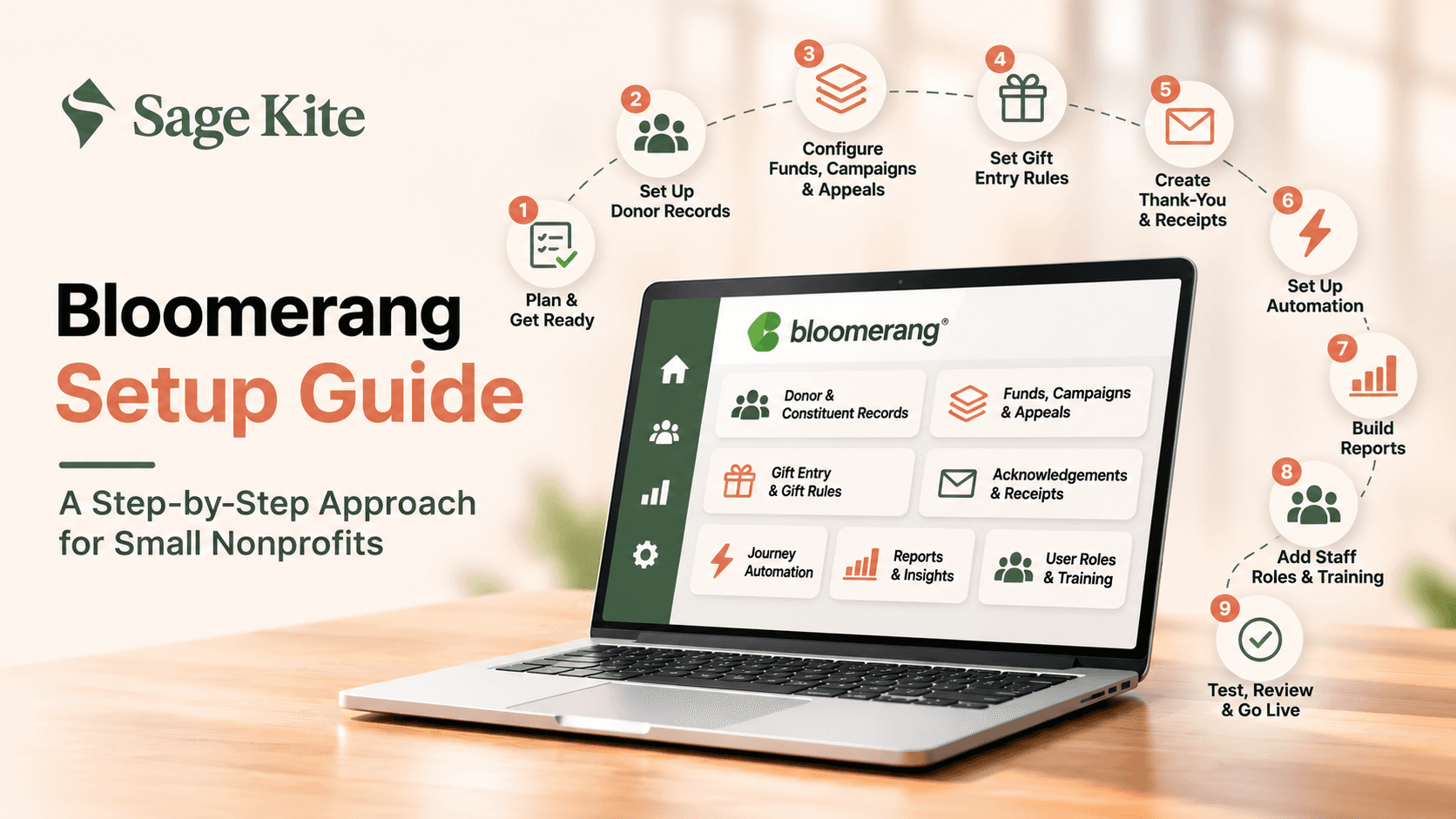
This article covers the stages in order, who does what, and what to have ready before conversion starts. It is not a configuration tutorial (our Bloomerang setup guide for small nonprofits covers that) and it is not a migration checklist for your old system.
What does a Bloomerang implementation involve?
Implementation is everything between signing and your team working confidently in a live database. Setup is one part of it. The rest is deciding how your data should be structured, getting existing data in, checking it, and teaching people to use it.
Bloomerang says every organization gets a dedicated onboarding specialist who helps build a plan and guides training (getting started). If data conversion is part of your plan, a conversion project manager supports that work from start to finish. According to the FAQ, conversion covers historical donations, interactions and constituent records, standardized matching to reduce duplicates, field mapping, and validation in a sandbox before you go live.
One caution. Conversion support applies when the plan includes it, and Bloomerang does not publish which plans do. Check your proposal for what is included before you build your schedule around it.
How long does a Bloomerang implementation take?
There is no universal Bloomerang timeline. Bloomerang's own figures are a useful outer frame, and the stages below show where the time goes. This is what the sources say, and what they leave out.
| Source | What it says | Limit |
|---|---|---|
| Bloomerang FAQ | Up and running in as little as five weeks for most nonprofits. Standard conversion timeline of 12 to 14 weeks | Does not define “up and running”, say what drives each range, or say if five weeks includes conversion |
| Bloomerang rollout guide | A 90-day role-based plan. Large migrations may take four to nine months. Keep the old system read-only for three to six months | Generic CRM guidance, not Bloomerang's onboarding commitment |
| Neon One | Four to 12 weeks for most small nonprofits. Go-live and finished data migration are separate milestones | A competitor describing its own market. Useful for framing only |
Three things move the date more than anything else. First, whether Bloomerang's team is doing the conversion or you are importing yourself. Second, data condition: Bloomerang's own guidance says messy data takes extra care and additional time from the conversion team. Third, your response time. A conversion waits on your answers and your review.
The implementation timeline, stage by stage
The ranges below are illustrative planning ranges for this article. They are not Bloomerang's, they are not guaranteed, and stages overlap. Use them to ask better questions of your onboarding specialist, not to set a deadline.
| Stage | What happens | Who leads | Planning range |
|---|---|---|---|
| 1. Kickoff | Meet your onboarding specialist. Agree scope, contacts and target dates | Nonprofit owner with Bloomerang | About 1 week |
| 2. Requirements review | List the processes, reports and communications the database must support from day one | Nonprofit leads | 1 to 2 weeks |
| 3. Data preparation | Inventory sources, decide what moves, clean what you can | Nonprofit, advised by Bloomerang if converting | 1 to 4 weeks or more |
| 4. Structure decisions | Agree funds, campaigns, appeals, household rules, custom fields and user roles | Nonprofit, with finance | 1 to 2 weeks |
| 5. Conversion or import | Legacy data is mapped and loaded | Bloomerang conversion team if in plan, otherwise you | Follow Bloomerang's schedule |
| 6. Configuration | Settings, users, templates and reports are set up | Nonprofit admin with onboarding specialist | 1 to 3 weeks, overlapping |
| 7. Review and testing | Check converted data and test gifts, receipts, reports | Nonprofit, finance and development | 1 to 3 weeks |
| 8. Training | Role-based learning, Bloomerang Learning and internal practice | All users | 1 to 2 weeks, overlapping |
| 9. Go-live | Cut over, then watch closely for the first weeks | Nonprofit, with Bloomerang support | Cutover day, then 2 to 4 weeks |
As a planning assumption, an organization starting fresh might plan for roughly four to eight weeks. With conversion, plan inside Bloomerang's published 12 to 14 week frame and add a buffer if your data is complicated.
Each stage has a gate. Do not move on until it is met.
| Stage | What you need to start | What can delay it | Done when, and what you have |
|---|---|---|---|
| 1 | A named project owner and a backup. Your plan's included services | Unclear scope. Owner without time | Dates and contacts agreed. A one-page project plan |
| 2 | How you handle gifts, thank-yous and reports today | Knowledge held by one person | Must-have processes and reports agreed. A requirements list |
| 3 | Exports and access to old sources. Decisions on how much history to keep | Duplicates, inconsistent coding, data spread across files | Inventory complete, cleanup decisions made. Cleaned files and a retire list |
| 4 | Draft funds, campaigns, appeals, household rules, roles | Development and finance disagree on coding | Structure approved by both. A signed-off structure sheet |
| 5 | Complete data in the format requested, on time | Late files, slow answers, scope changes mid-conversion | Converted data ready to review |
| 6 | Approved structure, admin access, letter templates | Waiting on decisions. Too many custom fields | Settings, users and templates working |
| 7 | A test checklist, sample records, time from finance | Reviewers out. Vague error reports | Fixes verified and totals reconciled. Sign-off |
| 8 | A role-based plan and protected time | Campaign season. No training owner | Each user has done their daily tasks. Quick guides |
| 9 | A cutover date and old system read-only | Late fixes. A fundraising peak | All new gifts only in Bloomerang. A 30-day review date |
The review stage is more specific than most people expect. Bloomerang's help center has conversion review articles for relationships, names and status, personal information and contact information (for example, relationships review). Errors go on a Revisions Needed List, and each one should include the constituent ID, what is wrong and what the record should show. Plan time for this.
What should you prepare before implementation starts?
If a conversion date is already booked, work backwards from it. Seven categories cover the preparation.
A. Ownership. Name one decision-maker and one coordinator who gathers information and answers questions. Bloomerang's own rollout guidance lists unclear ownership as a common cause of stalled CRM projects.
B. Current processes. Write down how gifts arrive, who records them, who thanks donors and how reports get made. Note what you actually use, not what the old system offered.
C. Data and records. List every place donor information lives. Decide how many years of history you need, what to do with long-lapsed donors and what you will retire. Bloomerang's migration guidance says some data from almost any legacy system will not import cleanly, so export what you retire for reference.
D. Funds, campaigns and appeals. Agree the list and what each term means with finance before conversion. Bloomerang's help documentation says used funds, campaigns and appeals can be deactivated but not deleted, so settle the names early.
E. Communications and acknowledgements. Collect your current letters and emails and decide who approves them. Check receipt rules for your jurisdiction instead of assuming a default template fits. In Canada, CRA official donation receipts must include specific mandatory elements. In the US, the IRS requires donors to have a written acknowledgment for any single gift of $250 or more. Ask Bloomerang how your setup meets the rules that apply to you, and confirm with your accountant.
F. Reporting and integrations. List the reports your board and finance team need, and the tools that connect to your donor data, such as accounting, payments and email. Ask your onboarding specialist which are in scope.
G. Training and staff readiness. Know who will use the system and for what. Block time for them. Avoid a go-live in your busiest fundraising weeks if you can.
| Area | Have this ready before conversion data is handed over |
|---|---|
| Ownership | Decision-maker, coordinator, finance contact, and a backup for each |
| Processes | A one-page description of gift entry, acknowledgements and reporting |
| Data | Source inventory, cleaned exports, history and lapsed-donor decisions, retire list |
| Coding | Approved list of funds, campaigns and appeals with plain-language definitions |
| Communications | Current templates, approvers, and the receipt rules for your jurisdiction |
| Reporting | Must-have reports and a list of connected systems |
| Training | Users by role and protected training time |
What does Bloomerang handle, and what is left to you?
| Area | Bloomerang | Your nonprofit |
|---|---|---|
| Onboarding | Dedicated onboarding specialist and training resources | Attend sessions, decide, and keep the project moving |
| Conversion | If in your plan: a conversion project manager, field mapping, standardized matching and sandbox validation | Provide complete data, answer questions, make data decisions |
| Review | Help center articles that guide your review | Check converted records and list corrections with examples |
| Training | Live and on-demand courses and a help library | Decide who learns what, and your own procedures |
| Ongoing support | Chat, help center and support team | Data standards and who enters what |
Bloomerang does not publish a full list of customer responsibilities, or which plans include which services. Confirm both in writing with your sales contact or onboarding specialist.
What should your team handle internally?
Some decisions only you can make. What counts as a campaign versus an appeal. Which history matters. Who approves thank-you letters and receipts. What good data entry looks like. Bloomerang can advise, but it cannot decide these for you, and conversion cannot fix a question nobody has answered.
When should you bring in a consultant?
Sage Kite is an independent consultancy. We are not an official, certified or endorsed Bloomerang partner, and we do not replace Bloomerang's onboarding or conversion team. Where an independent hand can help is in the gaps around that team, such as preparing data before conversion starts, working through structure decisions with development and finance, building a test plan, planning training, and cleaning up after go-live. See our Bloomerang services.
You may not need outside help if your database is small and clean, your plan includes full onboarding and conversion, and someone on your team has the time and authority to run the project.
Are you ready to go live?
Before cutover, check each of these:
- Converted data is reviewed, corrections are verified and sign-off is recorded.
- Gift totals reconcile with your finance records for a sample period.
- Funds, campaigns and appeals match the approved structure.
- A test gift, an acknowledgement and a receipt have been run end to end.
- Receipt wording is checked for your jurisdiction.
- Key reports return the numbers your board and finance expect.
- Connected systems are tested or a plan exists for each.
- Every user has the right permissions and has practiced their daily tasks.
- Everyone knows the cutover date, and new entries go only into Bloomerang afterward.
- Your old system is set to read-only, and someone owns the first-30-days review.
Common delays and how to avoid them
| Delay | Why it happens | What to do |
|---|---|---|
| Late data | Files sit with one person or in many places | Inventory sources in week one and assign owners |
| Unresolved coding | Development and finance use different logic | Agree definitions together before conversion |
| Scope changes mid-conversion | New requests surface after mapping starts | Finish requirements first. Log extras for after go-live |
| Vague error reports | “This looks wrong” cannot be fixed | Give the constituent ID, the problem and the expected result |
| Skipped testing | Time runs out near go-live | Put testing in the plan with named people |
| Peak fundraising season | Staff are stretched | Pick a cutover date away from your busiest weeks |
Frequently asked questions
How long does a Bloomerang implementation take?
Bloomerang publishes as little as five weeks for most nonprofits and a standard conversion timeline of 12 to 14 weeks, without defining either. Your own timeline depends on your plan, your data and your response time.
What should I prepare before Bloomerang data conversion?
Name an owner, document your processes, inventory and clean your data, agree funds, campaigns and appeals, collect your letters, list reports and integrations, and plan training. The checklist above puts each in one place.
Does Bloomerang convert my data for me?
Only if conversion is included in your plan, according to Bloomerang's FAQ. If it is, a conversion project manager supports the work, and you still provide data and review the result.
Do I need a consultant?
Not always. It tends to help when the data is messy, the team is small or the coding decisions are contested. It does not replace Bloomerang's own conversion team.
What should I test before go-live?
Converted records, a gift through to acknowledgement and receipt, key reports, user permissions and connected systems.
Can I change my setup after go-live?
Much of it, yes. Some items are harder to undo, such as funds, campaigns and appeals that have been used, which Bloomerang's documentation says can be deactivated, not deleted.
Conclusion
A Bloomerang implementation goes best when the nonprofit treats it as a project with an owner, a plan and a review stage, not as something that happens to it. Bloomerang's team does the conversion work if your plan includes it. Your team makes the decisions and checks the result.
If you have signed and want a second pair of eyes on your preparation, talk to Sage Kite about your Bloomerang implementation. We work alongside Bloomerang's team, not in place of it.