

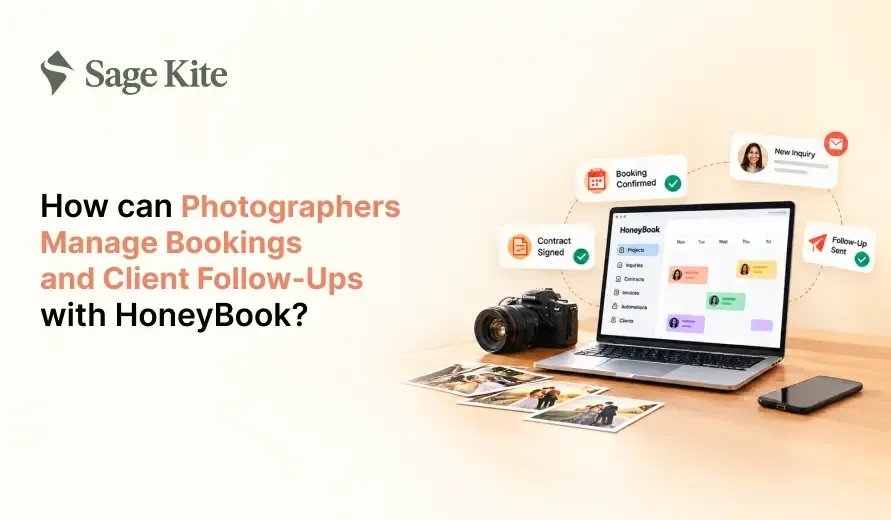
Most photographers do not lose a booking because their price is too high. They lose it because their reply came too late. An inquiry arrives by email, another lands in Instagram messages, and a third comes through a website form. By the time you answer all three, one couple has already hired someone else.
HoneyBook is a CRM for photographers and other small creative businesses. It keeps inquiries, contracts, invoices, payments, and follow-up messages in one place, so you do not have to switch between inboxes, spreadsheets, and payment apps.
Short answer: Photographers can manage bookings and follow-ups in HoneyBook by connecting a contact form to their website, sending a single proposal file that includes the contract and invoice, and setting up automations to send reminders and thank-you messages on a set schedule. All client details stay on a single project page, so nothing gets missed.
This guide walks through each step in plain order, from the first inquiry to the review request after the final gallery.
What Does HoneyBook Do as a CRM for Photographers?
HoneyBook for photographers works as a client portal and photography business management software. For a photographer, the main parts are:
- Contact forms that bring new inquiries into your account
- Projects and pipeline to see where each client stands
- Smart Files that combine a proposal, contract, and invoice in one document
- Scheduler so clients can book a call or a meeting
- Payments by card or bank transfer, with payment plans
- Templates and automations for emails you send again and again
Plans and features may change over time, so check HoneyBook's pricing page before signing up. The steps below cover the features most photographers need on day one.
Step 1: Collect Every Inquiry in Your CRM for Photographers
The first step is to stop inquiries from being scattered across different apps. HoneyBook lets you build a contact form and place it on your website, your link in bio, or your Google Business Profile.
Keep the form short. A good photography inquiry form asks for:
- Name and email
- Type of shoot (wedding, family, portrait, brand, event)
- Date of the shoot
- Location or venue
- How they found you
- A short note about what they want
When someone fills it out, HoneyBook automatically creates a new project and a contact card. You see the date, the shoot type, and the message in one view. If a lead messages you on social media, you can add them manually so every lead still ends up in the same list.
The "how did you find me" question is worth keeping. After a few months, it shows you which channel brings the most paying clients, which tells you where to spend your time.
Step 2: Reply Fast With Saved Email Templates
Speed matters more than length in the first reply. Clients who inquire usually contact two or three photographers, and the first to respond often gets the call.
In HoneyBook, a CRM for photographers, you can save email templates for each type of shoot. A wedding inquiry reply and a newborn inquiry reply should not sound the same. Write each one once, then reuse it.
A solid first reply includes:
- A thank-you for the inquiry, with their name
- A line that shows you read their message (the date, the venue, or the shoot type)
- A link to your pricing guide or portfolio
- A link to book a quick call
Keep it to a few short paragraphs. Change one or two details before sending so it feels personal rather than copied.
Step 3: Send One File That Holds the Proposal, Contract, and Invoice
This is where HoneyBook, as photography booking management software, saves the most time. Instead of sending a PDF quote, a separate contract, and a separate payment link, you send one file. In HoneyBook, this is called a Smart File.
A photography Smart File usually has three parts:
- Proposal or package details. List what is included: hours of coverage, number of edited photos, gallery delivery time, travel, and any add-ons such as an album or a second shooter.
- Contract. State the usage rights, the cancellation terms, the date-change rules, the delivery timeline, and what happens if you cannot attend. Have a lawyer review your contract wording at least once, since rules differ by country and state.
- Invoice. Show the total price, the retainer amount, and the due dates for the remaining balance.
The client opens a link, selects a package if options are offered, signs, and pays the retainer. HoneyBook records the signature date and sends you a notice. A booking that once required four emails can now be completed in one.
A retainer of 25 to 50 percent is common in the photography industry, but the appropriate amount depends on your type of work. Wedding photographers often ask for more because the date is blocked and cannot be resold.
Step 4: Let Clients Book a Call Without Email Back-and-Forth
Consultation calls often waste time because of messages like "Are you free Tuesday?" followed by "No, how about Thursday?"
HoneyBook's scheduler fixes this and serves as a simple photography booking system. You set the days and hours you are free, the length of each call, and the gap between meetings. You can connect your Google or Apple calendar so a booked call never conflicts with a shoot.
Include the scheduling link in your first reply and your proposal. If a client wants to talk before signing, they can pick a time right away. Reminders are sent before the call, which reduces no-shows.
Step 5: Collect Payments and Offer Payment Plans
Chasing late payments is awkward and takes up time. A CRM for photographers like HoneyBook handles this inside the invoice.
- Clients can pay by card or bank transfer from the invoice link
- You can split the balance into several payments with set due dates
- Automatic reminders go out before and after a due date
- Paid invoices show up on the project page, so you can see who has paid at a glance
Payment plans help with higher-priced packages. A couple booking a full wedding day may find it easier to pay in three or four installments rather than all at once, and you receive the money before the event.
Note that payment processing fees apply and vary by method and region. Check the current rates before setting your prices.
Step 6: Set Up Automated Client Follow-Up Emails
Follow-ups are where many photographers fall behind. You finish a shoot, start editing, and forget to write to the client. HoneyBook automations send client follow-up emails and other repeat messages once you set them up.
Here are the follow-ups worth setting up:
Before the booking
- A reminder two or three days after you send the proposal, if it has not been opened or signed
- A second, gentler message a week later
After the booking
- A welcome email with next steps and what to expect
- A questionnaire (shot list, family groupings, timeline, key people)
- A reminder one week before the shoot with the time, place, and what to wear or bring
After the shoot
- A thank-you note within a day or two
- A message with the expected gallery date
- Gallery delivery with a link and download tips
- A review request two weeks after delivery
- An anniversary or seasonal check-in a year later, which often brings repeat work and referrals
Automations in HoneyBook can start when a specific event occurs, such as a contract being signed or a project moving to a new stage. You write the message once, and it goes out at the right time for each client.
Always read each automated message before you turn it on. A message that is too stiff or too generic erodes trust. Write the way you would speak to the client in person.
Step 7: Track Every Job in Your CRM for Photographers
As photography client management software, HoneyBook shows your jobs as projects that move through stages. A simple photography pipeline looks like this:
- New inquiry
- Consultation booked
- Proposal sent
- Booked
- Shoot complete
- Editing
- Delivered
- Review requested
As a project progresses, the stage changes, and you can attach automations to that change. Each project page stores messages, files, invoices, notes, and dates for that client. If a bride writes six months later to ask about the contract, you find it in seconds.
Once a week, spend ten minutes reviewing the pipeline. Check which proposals are awaiting a reply, which invoices are due, and which galleries are approaching the promised delivery date.
Common Mistakes to Avoid
- Using the same template for every shoot type. A family session and a corporate event need different wording.
- Skipping the contract details. Vague terms on usage rights and cancellations lead to disputes later.
- Setting automations and never checking them. Review your messages every few months and update prices, dates, and links.
- Making the inquiry form too long. Long forms lose leads. Ask only what you need to give a price.
- Forgetting the post-shoot steps. Reviews and referrals come from the follow-up, not from the shoot itself.
A Sample Booking Timeline in a Photography Booking System
Here is how one wedding booking might look inside HoneyBook:
| Day | What happens |
|---|---|
| Day 0 | Inquiry form received, saved reply sent within hours |
| Day 1 | Client books a 20-minute call through the scheduler |
| Day 2 | Call held, Smart File sent with proposal, contract, and invoice |
| Day 5 | Automatic reminder if the file is still unsigned |
| Day 6 | Client signs and pays the retainer |
| Day 7 | Welcome email and questionnaire sent automatically |
| One week before | Shoot reminder sent |
| One day after | Thank-you message sent |
| Delivery day | Gallery link shared |
| Two weeks later | Review request sent |
The photographer handled the call and the shoot. The tool handled most of the writing and tracking.
Final Thoughts
Managing bookings and follow-ups does not require a complicated system. With HoneyBook as a CRM for photographers, a photographer can collect inquiries with one form, reply quickly with saved templates, send a single file for the proposal, contract, and invoice, and let automations send reminders and thank-you notes at the right time.
Start small. Set up your contact form, one reply template, and one Smart File this week. After your first booking runs through the system, add the follow-up automations. Within a few shoots, you will spend less time on admin and more time behind the camera.
Get Help Running Your CRM With Sagekite
Setting up templates, automations, and follow-ups takes time most photographers would rather spend behind the camera. Sagekite offers CRM virtual assistant services, along with digital marketing and business growth consulting, for small businesses that want someone to handle this work. A CRM virtual assistant can set up and manage your client workflows so every inquiry gets a reply and no follow-up is missed. To ask about support for your business, visit sagekite.com.
Frequently asked questions
Can HoneyBook replace my email and spreadsheet for client tracking?
For most solo photographers, yes. As photography client management software, it stores contacts, messages, files, and payments in a single account, so you rarely need a separate spreadsheet.
Does HoneyBook work for all types of photography?
Yes. HoneyBook for photographers suits wedding, portrait, family, newborn, real estate, and brand photographers alike. You set up templates and packages for each type of work.
Can clients sign and pay from their phone?
Yes. The Smart File opens on a phone or a computer, and clients can sign and pay on either device.
How soon should I follow up after sending a proposal?
Two to three days is a common gap. If there is no reply, send one more message a week later, then stop.
Is HoneyBook enough for gallery delivery?
HoneyBook handles booking, contracts, payments, and messaging. Many photographers still use a separate gallery tool to deliver photos and send the link via HoneyBook.