

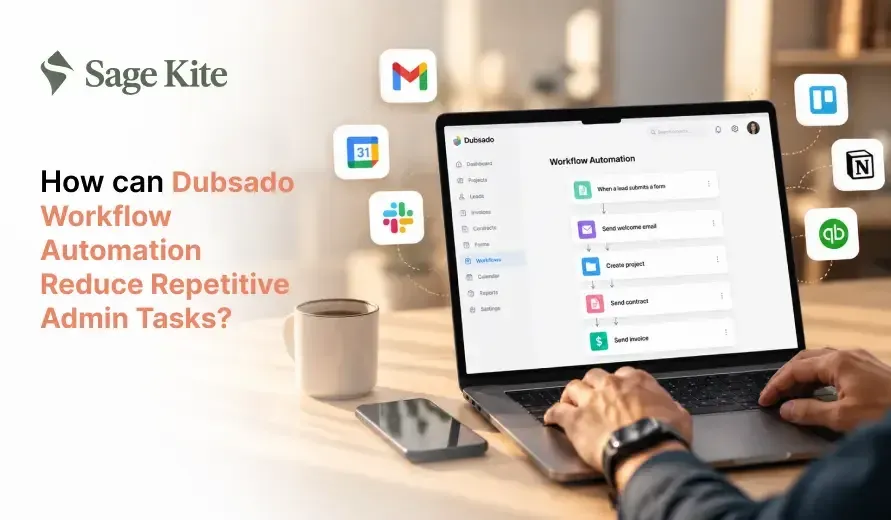
Most small service businesses lose hours each week to the same chores: replying to new inquiries, sending contracts, chasing invoices, and reminding clients about forms. Dubsado workflow automation reduces these repetitive admin tasks by running them in a fixed order at the right time, without you typing each message or clicking each button. You build the steps once, attach them to a project, and Dubsado sends emails, forms, contracts, and payment reminders on schedule.
This article explains what Dubsado workflows are, which tasks they replace, how to set one up, and where people commonly go wrong.
What Is Workflow Automation in Dubsado?
Dubsado is a client management tool and business workflow automation software designed for freelancers and small service businesses, including photographers, designers, coaches, consultants, and event planners. It consolidates leads, projects, contracts, invoices, scheduling, and client messages into a single account.
A workflow in Dubsado is a saved list of actions that run in a set order for a project. Each action can be an email, a form, a contract, an invoice, a task for you, or a change in project status. Each action also has a timing setting. It can run right away, a few days after the last step, or a set number of days before or after a project date, such as a wedding, a launch, or a session.
Think of a workflow as a written checklist that completes itself. Instead of remembering what comes after a signed contract, you let the workflow handle that step automatically.
Workflow Templates and Triggers
You can save a workflow as a template and apply it to every new client of the same type. A trigger is an event that starts or advances the process. For example, a client signing a contract can trigger the next email, and a paid invoice can trigger a welcome packet. Triggers eliminate the need to check each project by hand.
Which Repetitive Admin Tasks Take the Most Time?
Before building anything, it helps to see where your time goes. Service business owners usually report the same time drains:
- Answering the same basic questions from new leads
- Sending proposals, contracts, and invoices as separate files
- Going back and forth to find a date and time for a call
- Reminding clients to sign, pay, or fill in a form
- Collecting the same background details from every new client
- Sending thank-you notes, review requests, and follow-ups after the work ends
None of these tasks is hard. The problem is volume. Ten clients at different stages mean ten different to-do lists, and one forgotten email can delay a payment or leave a client unsure about what happens next. Workflow automation fits this kind of work because the steps are predictable and repeat for every client.
How Workflow Automation in Dubsado Handles Each Task
Capturing Leads and Sending the First Reply
A Dubsado lead capture form can sit on your website. When someone fills it out, their details go directly into your account as a new lead, with no copying between your inbox and a spreadsheet. A workflow can then send an initial reply within minutes, thanking the person and outlining your next step, such as booking a call or viewing a price guide.
Fast replies matter because people often contact several providers on the same day. An automated first response lets the lead know you received the message, even when you are busy with another client.
Sending Proposals, Contracts, and Invoices in One Step
Dubsado offers a document type called a smart file. A single smart file can hold a proposal, a contract, and an invoice in one link. The client reviews the offer, signs, and pays in one visit. You do not have to send three attachments and track which one is still pending.
When the client signs, the workflow can advance the project status and initiate the next set of actions. This eliminates the manual step of updating your records after each signature.
Booking Calls and Sessions Without Email Back-and-Forth
The Dubsado scheduler displays your open times, and clients choose a slot that works for them. It can sync with your calendar to prevent double-booking. A workflow can send the scheduler link at the right moment, for example, right after a lead form is submitted or after payment.
This replaces the long chain of messages that begins with "Are you free on Tuesday?" and often ends with a missed call.
Automated Administrative Tasks: Payment and Form Reminders
Chasing payments is one of the most uncomfortable administrative tasks. Dubsado lets you set up payment plans and attach automated reminders. A client can receive a friendly note before the due date, another on the due date, and a follow-up if the payment is late. The tone stays polite and consistent because you wrote the message in advance.
The same idea works for unsigned contracts and incomplete forms. A reminder can go out after three days of silence, and a second one after a week, so you are not the one tracking every deadline.
Client Management Automation for Onboarding Questionnaires and Welcome Emails
After a client signs and pays, you usually need details such as contact information, preferences, goals, or event timelines. A questionnaire sent through a workflow is simple client management automation that collects that information in one place. The answers stay attached to the client record, so you can find them later without searching through old emails.
A welcome email can arrive at the same time, explaining what happens next, what you need from the client, and when to expect your first update.
Project Milestones and Follow-Ups
During a project, workflows can send progress updates, create tasks for you, or send a feedback form when a stage ends. After the work is finished, a workflow can send a thank-you note, request a review, and invite the client to book again in a few months. These steps are easy to forget when you move on to the next job, making them a good fit for automation.
How to Set Up Your First Dubsado Workflow
Start small. One working workflow is better than five half-finished ones. Follow these steps:
- Write down your current process. List every step from the first inquiry to the final follow-up, in order, as you do it today.
- Mark the repeat steps. Circle anything you do the same way for every client, such as the first reply, the contract, the invoice, and the reminders.
- Prepare your templates. Write your emails, forms, and smart files before building the workflow. Keep the wording short and clear.
- Create the workflow. Add the actions in order and set the timing for each one. Decide which actions run on their own and which ones you want to review before they go out.
- Test it with a dummy client. Use your own email address to see every message, check the links, and confirm the timing makes sense.
- Apply it to a real project. Watch the first few clients closely and fix anything that feels off.
- Review it every few months. Prices, services, and policies change, and your workflow should match them.
Keep Some Steps Manual
Not every message should go out without your eyes on it. Sensitive replies, custom quotes, and difficult conversations are better handled by you. Dubsado lets you set certain actions to wait for your approval, which is a good middle ground when you are new to workflow automation for small businesses.
How Much Time Can You Save?
The exact number depends on your client volume, but the math is simple. Suppose each client needs about twelve routine messages and tasks, and each takes five minutes. That is one hour per client. With twenty clients a month, the total is twenty hours of work that follows a pattern. Even if a workflow handles only two thirds of that work, you gain over thirteen hours each month.
Time is only part of the gain. Automation also reduces errors. A workflow does not forget to send the contract, mistype an invoice amount, or skip the reminder because the day was busy. Clients receive the same clear experience every time, which makes your business look organized and dependable.
Common Mistakes to Avoid
Automating a messy process. If your current steps are unclear, business workflow automation software will repeat the confusion at a faster pace. Fix the process first, then build the workflow.
Using long, cold emails. Automatic messages should still sound like you. Use simple sentences, the client's name, and a clear next step.
Sending too many reminders. Two or three reminders are enough. More than that can feel pushy and may annoy a client who simply needs another day.
Skipping the test. A broken link or a wrong date in a workflow gets repeated for every client. Always send a test project through first.
Never reviewing the workflow. If you raise prices or change your services, update the smart files and emails at once. Old information in a live workflow can cause confusion and disputes.
Forgetting to match the workflow to the service. A one-day photo session and a six-month brand project need different timing. Create separate workflows for different service types.
Who Gets the Most From Dubsado Automation Features?
Dubsado serves as workflow automation for small businesses that sell services to individual clients and follow a repeatable path from inquiry to delivery. Photographers, wedding and event planners, interior designers, brand and web designers, coaches, consultants, and virtual assistants all fit this pattern.
It suits businesses that sell physical goods in large volume or need simpler stock tracking. For those, an online store platform usually works better. If you handle a small number of clients and each project is highly custom, you may still benefit from automating only the first reply, the contract, and the invoice.
Final Words
Dubsado workflow automation helps small service businesses streamline client management by automating repetitive tasks such as responding to inquiries, sending contracts and invoices, collecting client information, and scheduling follow-ups. By setting up workflows that align with your business processes, you can save time, reduce administrative errors, and deliver a more consistent client experience. Start with a few essential tasks, test each workflow carefully, and update your automations as your services evolve. With the right setup, Dubsado can help you spend less time on paperwork and more time growing your business and building stronger client relationships.
Simplify Your Client Workflows With Sagekite
Managing client inquiries, contracts, invoices, and follow-ups can take valuable time away from running your business. Sagekite offers CRM virtual assistant services, digital marketing, and business growth consulting to help small service businesses streamline daily operations. With the right support, you can organize client communications, manage repetitive administrative tasks, and ensure you don't miss important follow-ups. If you want to spend less time on routine tasks and more time serving your clients, visit Sagekite to explore how its services can support your business.
Frequently asked questions
What is a Dubsado workflow?
A Dubsado workflow is a saved set of actions, such as emails, forms, contracts, invoices, and tasks, that run in a chosen order and at chosen times for a project. It acts as a repeatable process for each client.
Can Dubsado send emails automatically?
Yes. One of the Dubsado automation features is sending emails on its own, based on triggers and timing you set, such as right after a form is submitted or a few days before a project date. You can also set an action to wait for your approval before it goes out.
Does Dubsado replace a project manager?
No. Dubsado handles routine admin steps, but it does not make decisions, manage a team, or deal with unusual requests. It reduces busywork so you can spend more time on client work.
How long does it take to build a workflow?
A simple workflow with a few emails and one smart file can be built in a few hours once your templates are ready. Larger workflows with many steps take longer, and the writing of the emails usually takes more time than the setup itself.
Is Dubsado good for beginners?
It can be, but expect a short setup period. Start with one workflow for your most common service, test it, and add more later. This keeps the process simple and lowers the chance of mistakes.